
How to hand over a baby-care routine clearly.
Give parents, nannies, grandparents, and other helpers one readable history—then use the handoff conversation for exceptions and follow-up.

The short answer: use a shared timeline for routine facts and a short conversation for anything unusual. Give each caregiver only the access they need, and confirm who is responsible for adding new entries during their shift.
What makes a baby-care handoff useful?
A good handoff answers five practical questions: when baby last ate, when baby last slept, the most recent diaper, any medication or health note, and what needs follow-up. Activities, pumping, growth, and reminders can be included when they matter to the routine.
The record should reduce repetition, not eliminate communication. If something is urgent, unusual, or safety-related, say it directly rather than relying on someone to discover it in a timeline.
Choose view-only or edit access
- View only: useful for someone who needs context but is not responsible for maintaining the record.
- Edit access: appropriate for a caregiver who will add sleep, feeds, diapers, health notes, activities, or other care.
- Manual export/import: useful when automatic sharing is not appropriate or the other person does not need ongoing connected access.
A four-step caregiver handoff
1. Agree on the shared record
Choose the care categories everyone will use and define any household terms or units that could otherwise be ambiguous.
2. Choose the right permission
Invite a caregiver with view or edit access. Use the least access that still lets them do their role.
3. Review the recent timeline together
Scan the last feed, sleep, diaper, health or medication entry. Confirm any active timer and who will stop it.
4. Highlight exceptions and ownership
Say what is unusual, what needs follow-up, and who is responsible. The app records the routine; the handoff establishes the plan.
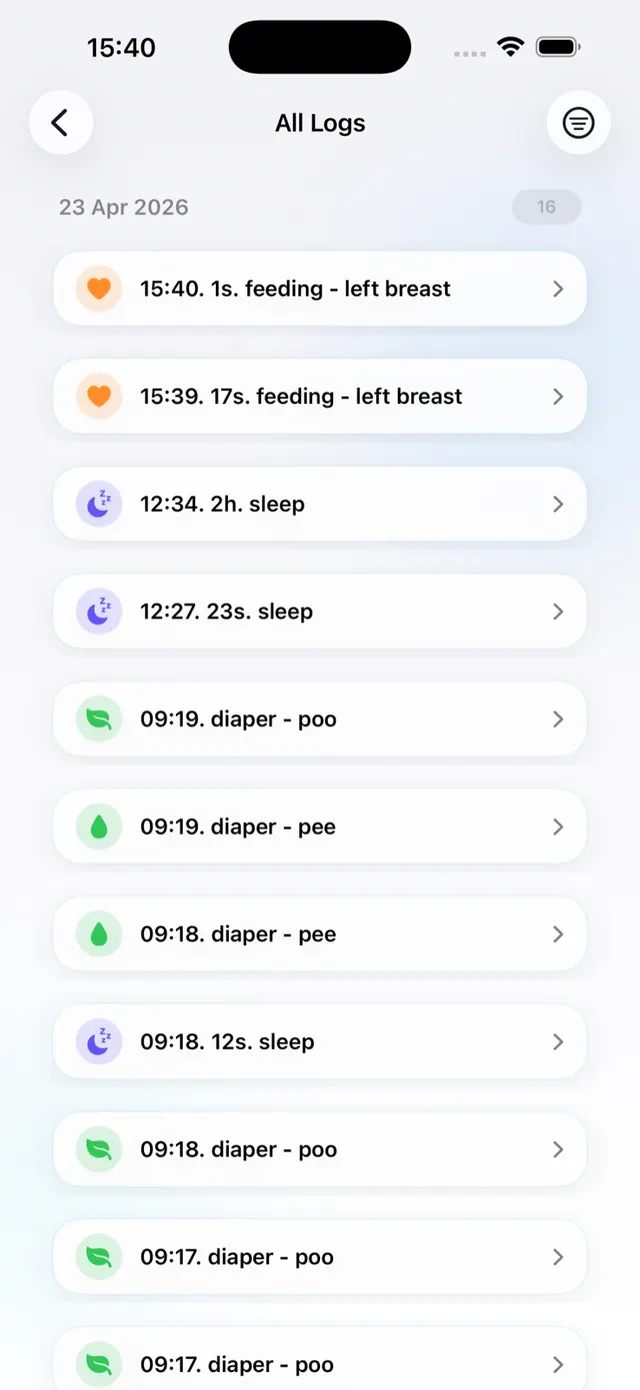
How caregiver sharing works in Nanny & Me
- Open the baby profile you want to share.
- Choose view-only or edit access.
- Enter the caregiver’s email address or use the available sharing route.
- For manual sharing, export the profile and send the file through your chosen channel; the other device can import or merge it.
- Review shared caregivers and remove access when it is no longer needed.
Connected sharing needs an account and internet connection. Core local tracking does not.
Give the next caregiver a clear place to start.
Keep routine facts in one history and reserve the handoff conversation for what needs attention.
Download free on the App StorePrivacy and access checks
- Confirm that the invitation goes to the intended email address.
- Use view-only access unless editing is part of the caregiver’s job.
- Remove access when the arrangement ends.
- Do not include more personal or health detail than the care task requires.
- Read the privacy policy before enabling connected features.
Common caregiver-handoff mistakes
- Assuming the other caregiver saw the latest entry without confirming.
- Leaving an active timer running across a shift change with no owner.
- Granting edit access when view-only is sufficient.
- Using vague notes where a direct conversation is needed.
- Sharing one login rather than using individual caregiver access.
Shared baby tracker questions
Can a nanny or grandparent see the same baby profile?
Yes. They can be invited with view or edit access, depending on the responsibility you assign.
Does every caregiver need an account?
Connected profile sharing uses account features. Manual export and import offers another way to move a care log.
Can I remove a caregiver later?
Review the shared caregiver list and remove access when it is no longer appropriate.
Does sharing replace a verbal handoff?
No. Use the timeline for routine facts and speak directly about urgent, unusual, or safety-related information.