
How to track a newborn’s day without tracking everything.
Start with one readable timeline for sleep, feeds, and diapers. Add health, pumping, growth, or activity details only when they help you or the next caregiver understand the day.
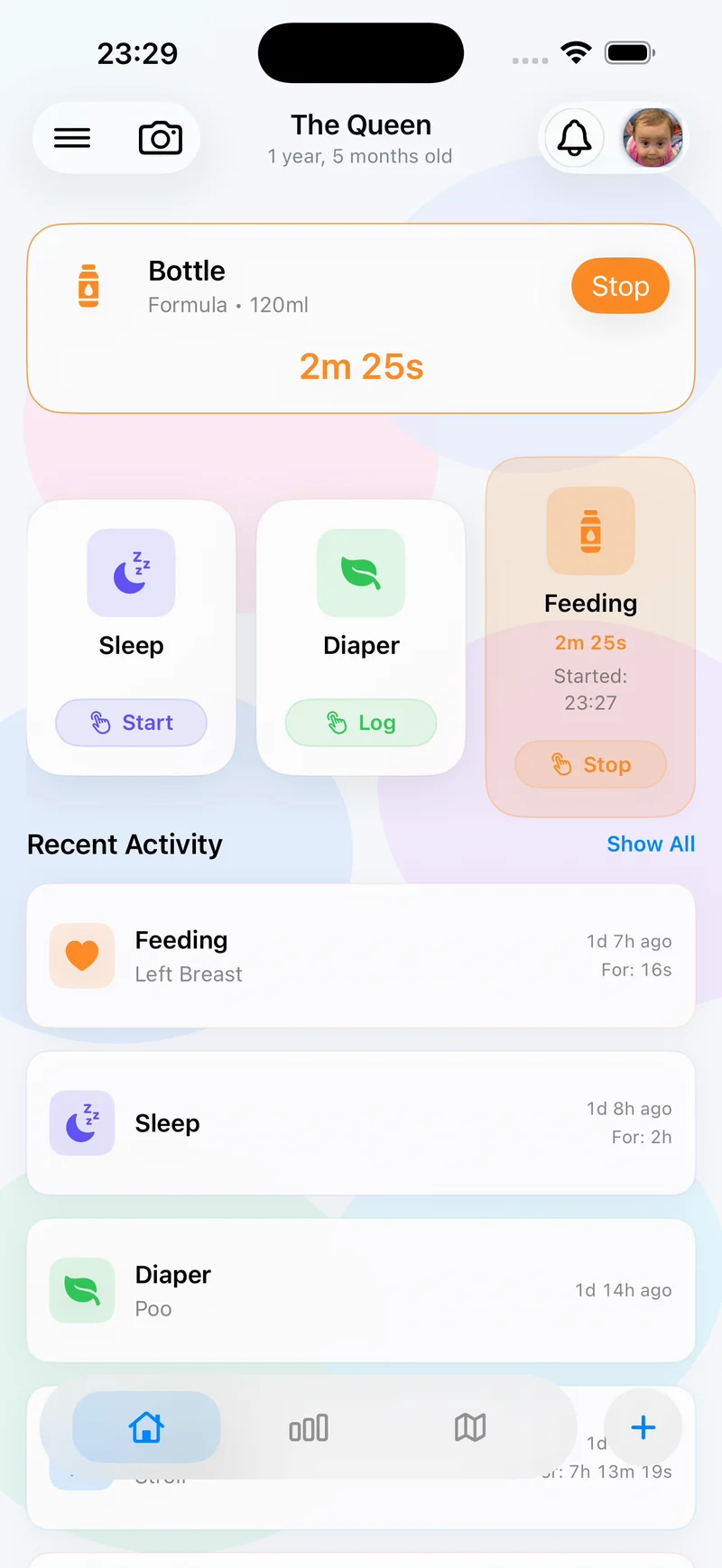
The short answer: a useful newborn log records what another tired adult would need to know next. For most families, that means when baby last slept, ate, and had a diaper change, plus any health or care note that changes the handoff.
What is worth tracking?
Begin with the smallest set that answers real questions. More fields do not automatically create a better record.
- Sleep: start time, end time, and whether it was a nap or longer overnight stretch.
- Feeding: breast, bottle, or meal; duration or quantity where useful; and a short note if something unusual happened.
- Diapers: time and whether it was wet, dirty, or both.
- Optional context: pumping, medication, symptoms, weight, activities, or location only when your routine needs them.
Before you start
Agree on three things with anyone else providing care: which categories matter, what detail is genuinely useful, and how you will hand over the record. If everyone logs differently, the timeline becomes harder to scan.
It also helps to decide when not to log. For example, a parent may need exact bottle quantities during one stage but only the feeding time later. The record should adapt as the care job changes.
A four-step newborn tracking workflow
1. Choose a small core log
Start with sleep, feeds, and diapers. Add another category only when it answers a recurring question or supports a care instruction you already have.
2. Record care when it happens
Use a timer for an ongoing sleep or feeding session. Use a quick entry when the event has already happened. Add details at the end so starting the log never delays care.
3. Review the recent timeline
Before beginning the next care task, look at the most recent entries. The goal is not to let an app decide what baby needs; it is to make the known history easy to see.
4. Hand over the context
At a caregiver change, highlight what happened recently, anything unusual, and what still needs follow-up. A structured timeline reduces repeated questions without removing the need for a human conversation.
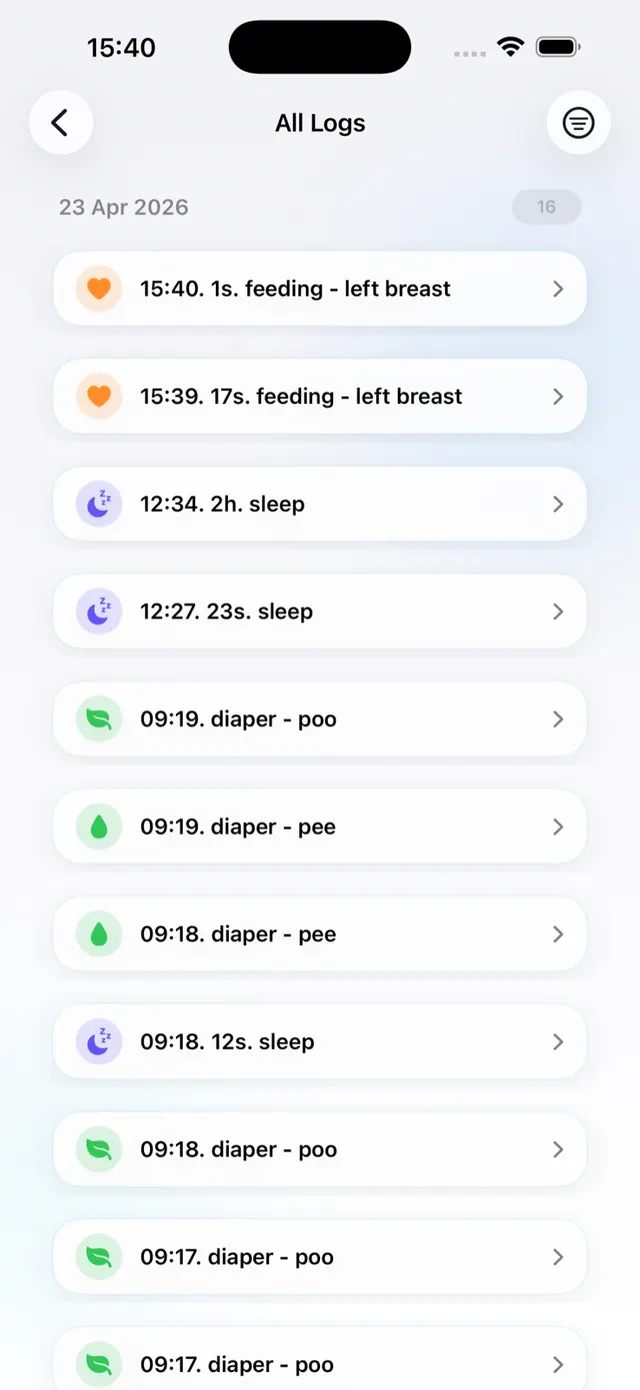
How to do this in Nanny & Me
- Create a baby profile and choose the care actions you use most.
- From Home, tap Sleep, Diaper, Feeding, or the add control for another category.
- Start a timer or enter a completed action with only the detail you need.
- Use Recent Activity or All Logs to review the day in order.
- Open reports, reminders, widgets, or Siri Shortcuts when those tools support your routine.
Nanny & Me also supports multiple baby profiles, so each child’s history stays separate.
Start with the next care moment.
Download the app free, create a profile, and log one feed, nap, or diaper change. You can expand the record later.
Download free on the App StoreCreate a handoff another caregiver can use
A useful handoff is short. Confirm the last feed, last sleep, recent diapers, any medication or health note, and anything that needs follow-up. Nanny & Me can support two approaches:
- Connected sharing: invite a caregiver with view-only or edit access to a baby profile.
- Manual sharing: export a profile and send it through your chosen channel, then import or merge it on another device.
Use view-only access when someone needs context but should not change the record. Use edit access only when the caregiver is responsible for adding care.
Offline tracking and privacy
Core tracking works locally without an internet connection. Connected sharing and account features need a connection. Starting locally can reduce setup friction, but you should still review the privacy policy before using optional account, location, photo, or sharing features.
Common newborn logging mistakes
- Tracking too much: a long form that nobody completes is less useful than a consistent core log.
- Using the log as a rule: recorded history is context, not a prescription for what baby must do next.
- Leaving handoff notes ambiguous: use a short specific note instead of “seemed off.”
- Mixing children or dates: confirm the active baby profile and time before saving.
- Assuming the app replaces medical help: contact a qualified professional for medical questions or urgent concerns.
Newborn tracking questions
Do I need to track every feed, nap, and diaper?
No. Track the information that supports your care goals or professional guidance. Consistency matters more than collecting every possible detail.
Can I start without an account?
Yes. Core tracking works locally. Create an account only when you need connected features such as automatic caregiver sharing.
Can several caregivers add logs?
Yes. A shared caregiver can receive view or edit access, depending on the permission selected by the profile owner.
Can the app tell me whether my newborn is healthy?
No. The app keeps records; it does not diagnose, treat, or replace medical advice.