How to track diaper changes, reminders, and stock.
Keep wet and dirty diaper entries beside feeds, sleep, and health notes—then use reminders and stock alerts as practical prompts, not medical instructions.

The short answer: log the time and whether the diaper was wet, dirty, or both. Add a note only when it helps explain something unusual or supports an instruction you already received.
What belongs in a diaper log?
- The date and time of the change.
- Wet, dirty, or both.
- A short relevant note when needed.
- The active baby profile, so entries do not mix between children.
A four-step diaper-tracking workflow
1. Log the change
Record the change when it happens. A quick entry is usually enough.
2. Add only relevant context
Use a short factual note for something unusual. Avoid turning routine entries into long diary records.
3. Review recent history at the handoff
Check the latest diaper entries beside feeding, sleep, medication, and health notes so the next caregiver sees the broader context.
4. Use reminders and stock carefully
Set reminder intervals that fit your existing care routine, and track diaper stock so a low supply is visible before it becomes urgent.
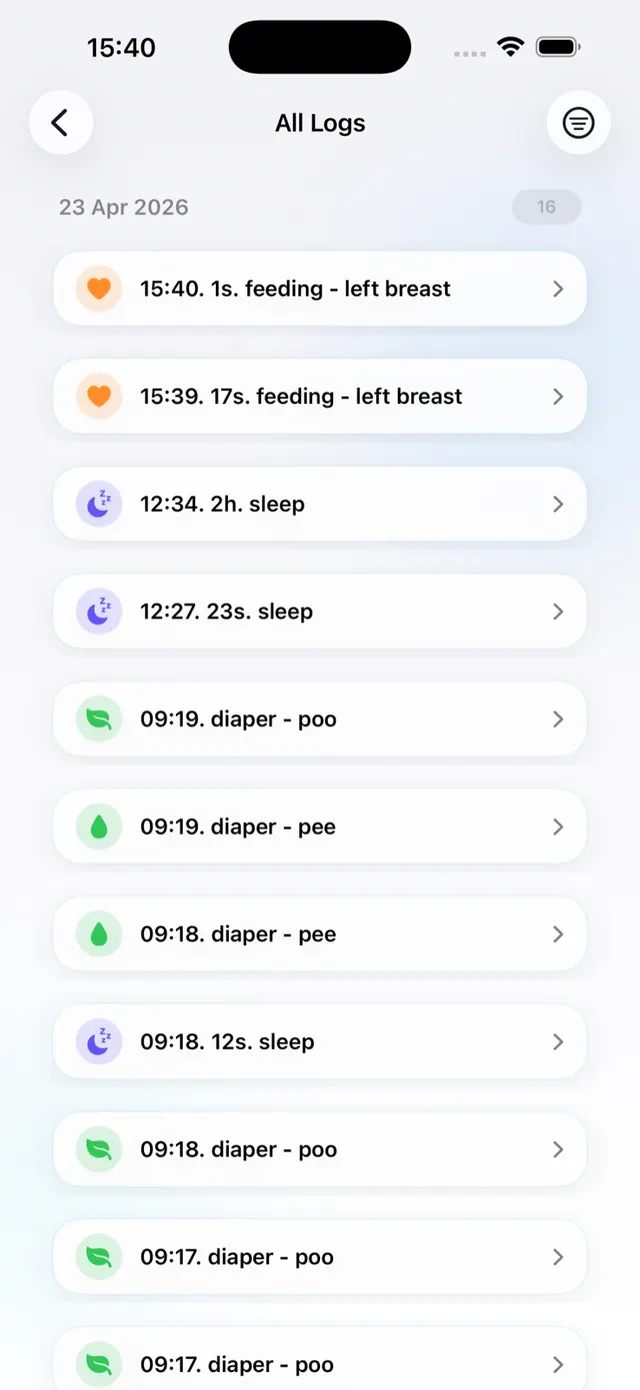
How to log a diaper in Nanny & Me
- Confirm the active baby profile.
- Tap Diaper and choose the appropriate diaper type.
- Add a short note only if it is useful.
- Save the entry and confirm it in Recent Activity or All Logs.
- Correct a mistaken type or duplicate rather than leaving a confusing record.
Use diaper reminders as prompts
Nanny & Me can schedule diaper reminders at an interval you choose. A reminder is a prompt to check the routine; it is not an instruction that overrides your observations, professional advice, or baby’s needs. Turn a reminder off when it no longer helps.
Keep the diaper history close to the rest of the day.
Log changes, review recent care, and set only the reminders your routine actually needs.
Download free on the App StoreTrack stock without overcomplicating it
Use diaper inventory as a practical count, update it consistently, and set a low-stock alert that leaves enough time to buy more. If several caregivers use supplies, agree who updates the inventory so the count does not drift.
Common diaper-log mistakes
- Logging a change under the wrong baby profile.
- Using inconsistent terms across caregivers.
- Leaving duplicates after two caregivers log the same change.
- Treating reminder timing as medical guidance.
- Assuming an inventory count is exact when several people use supplies without updating it.
Diaper tracker questions
Can I track wet and dirty diapers separately?
Yes. Nanny & Me supports diaper types so the timeline can show the observed change.
Can the app remind me about diaper checks?
Yes. You can enable diaper reminders and choose an interval. Use them as prompts rather than medical guidance.
Does Nanny & Me track diaper stock?
Yes. Diaper inventory and low-stock alerts can help the household avoid running out.
Can a caregiver add diaper entries?
Yes, when the caregiver has edit access to the shared baby profile.