
How to log breastfeeding, bottles, and pumping.
Capture the details another caregiver may need—without making a late-night feed feel like paperwork.
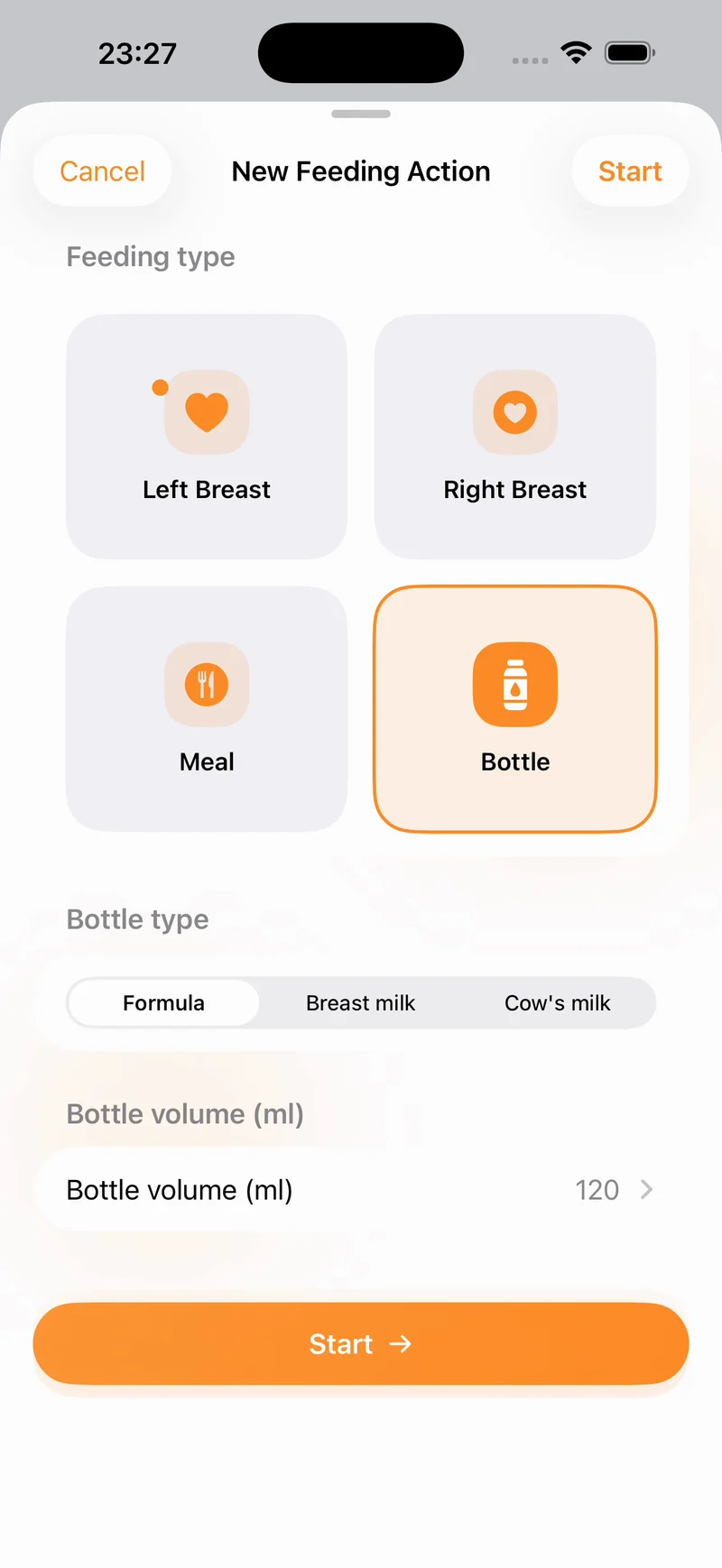
The short answer: record the feeding type and time first. Add duration, breast side, bottle contents, quantity, or pumping volume only when the detail helps you follow care guidance, understand the routine, or brief another caregiver.
Which feeding details are useful?
- Breastfeeding: start time, duration, and left or right side where useful.
- Bottle: start time, bottle type or contents, and volume offered or taken when you need it.
- Pumping: time, side, duration, and expressed volume.
- Meals or solids: time, what was offered, and a short note if needed.
Do not add a field simply because it exists. The best log is the one caregivers can complete consistently and interpret quickly.
Before the feed
Keep the device within reach, confirm the active baby profile, and decide whether you need a timer or only a completed entry. If someone else will use the log, agree on units and notes—for example, millilitres for bottles and a consistent way to describe formula, expressed milk, or meals.
A four-step feeding log
1. Choose the feeding type
Select left breast, right breast, bottle, or meal so the record begins with the right context.
2. Start the timer or add the time
Start a live feeding session when it begins. If you are logging afterward, enter the known time and duration rather than guessing extra detail.
3. Add only the detail you will use
For a bottle, that may be the contents and volume. For pumping, it may be side and expressed volume. Use a short note for exceptions instead of repeating routine information.
4. Review the recent history
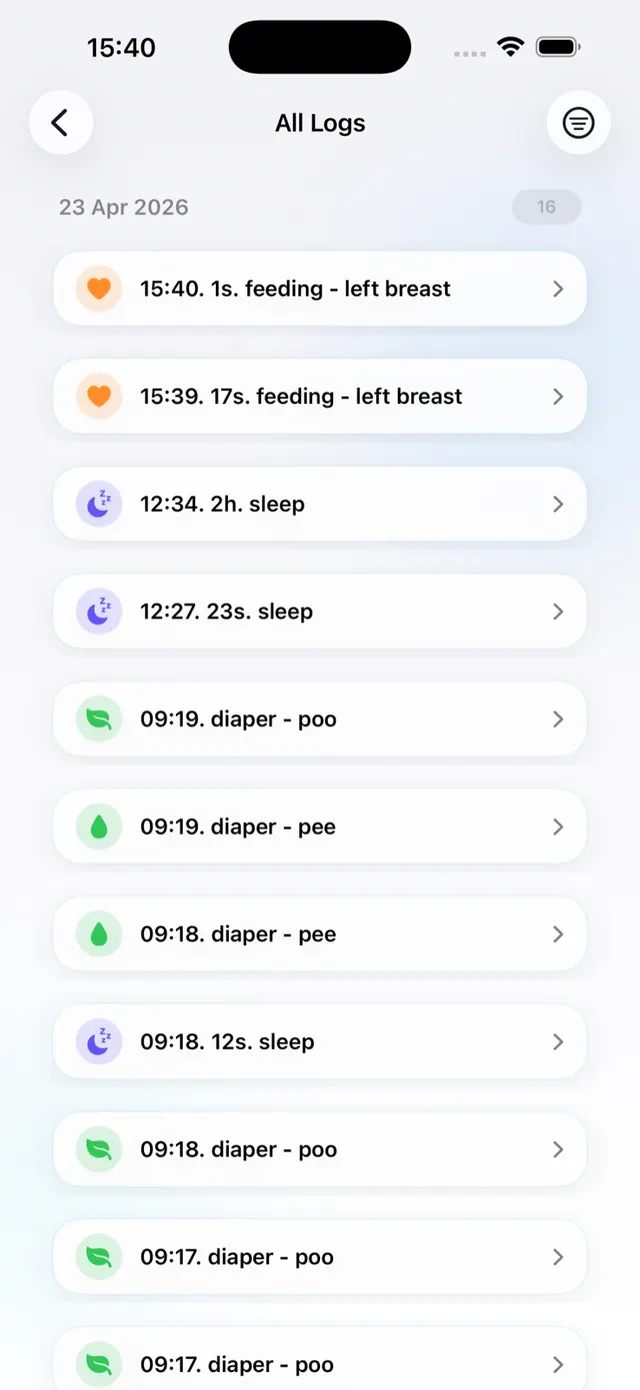
Before a handoff, check when and how the last feed happened and whether sleep, diapers, or health notes add relevant context.
How to log a feed in Nanny & Me
- Open the active baby profile and select Feeding.
- Choose left breast, right breast, meal, or bottle.
- For a bottle, select the contents and add a volume if needed.
- Start the action or save a completed entry.
- Review it in Recent Activity or All Logs, then edit a mistaken detail if necessary.
Pumping is available as its own care action, so expressed milk sessions do not need to be mixed into feeding notes.
Keep the next feed easy to understand.
Start a timer, add the useful details, and leave the next caregiver a clear feeding history.
Download free on the App StoreWhat to include in a feeding handoff
Share the last feed time, feeding method, amount or duration if relevant, anything unusual, and any professional instructions already in place. If a caregiver will continue adding feeds, grant edit access; if they only need context, use view-only access.
Common feeding-log mistakes
- Starting a timer on the wrong baby profile.
- Mixing the volume offered with the volume taken.
- Recording routine assumptions as if they were observed facts.
- Using inconsistent units across caregivers.
- Letting the log delay care or replace medical guidance.
Baby feeding tracker questions
Can I track breastfeeding and bottles in the same app?
Yes. Nanny & Me supports left and right breastfeeding, bottles, meals, and pumping alongside the rest of the care history.
Do I have to enter a bottle volume?
No. Add a quantity when it is useful or part of your care guidance; otherwise keep the entry simple.
Can another caregiver see the last feed?
Yes. You can share a baby profile with view or edit access, or use manual export and import.
Does the app recommend how much my baby should eat?
No. It records feeding information and does not provide individual medical or nutritional advice.